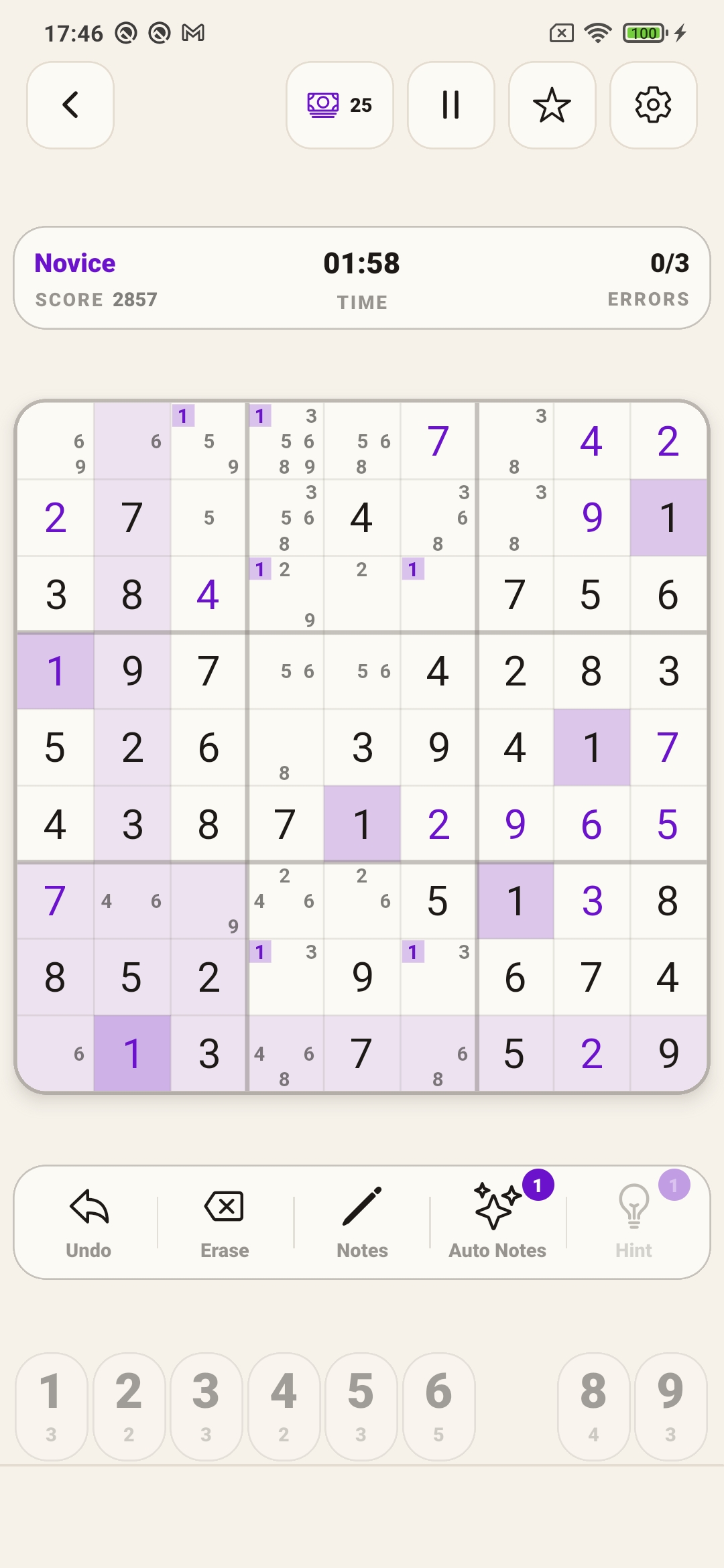
Session state at a glance
The header shows your score, elapsed time, mistake count, and current difficulty without opening a menu.
Daily Sudoku
Download an Android Sudoku game that works offline, keeps your current board, and gives you a fresh daily challenge when you want one.
Inside the game
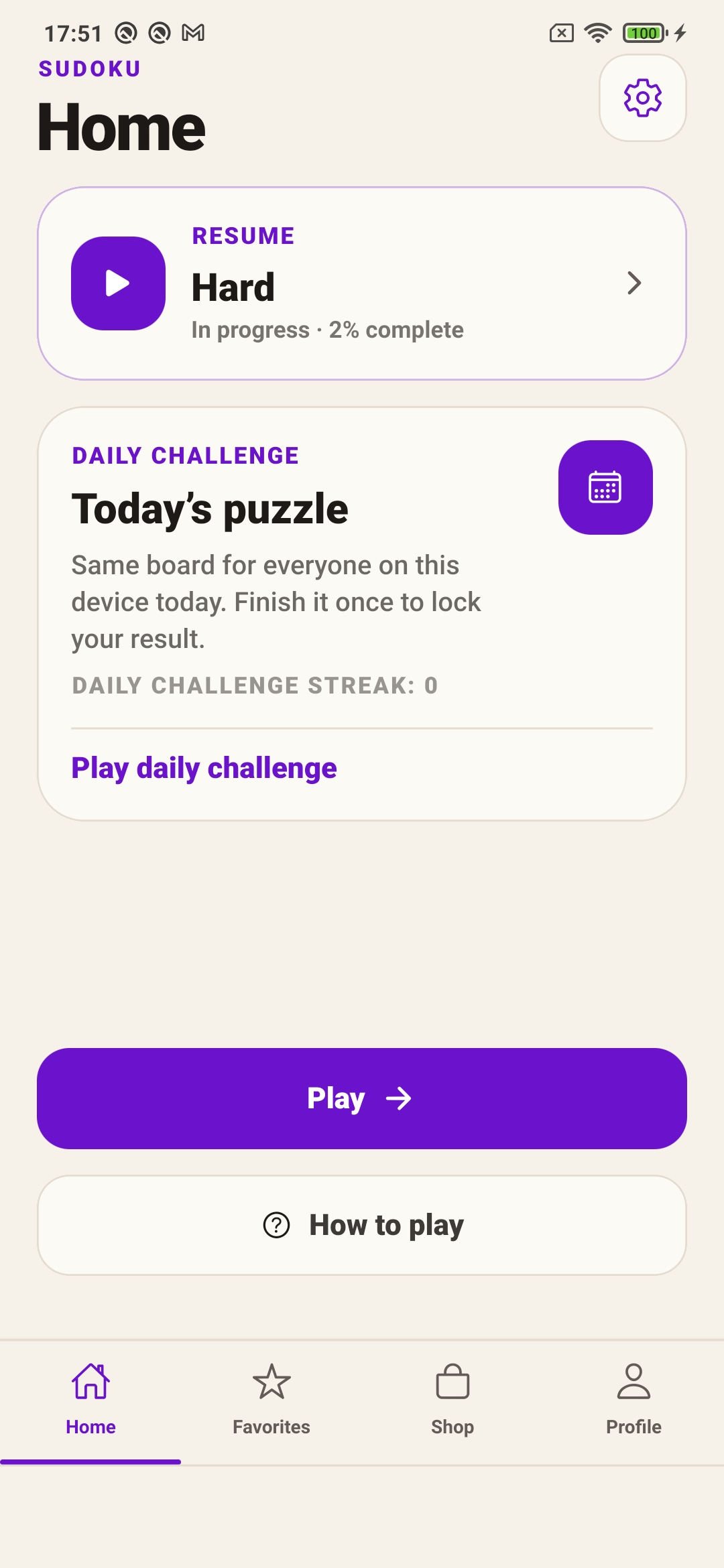
Score, time, mistakes, and difficulty sit above the grid without covering it. Controls stay at the bottom of the screen, close to your thumb. The home screen keeps a saved game one tap away.
The header shows your score, elapsed time, mistake count, and current difficulty without opening a menu.
One board per day, same for every player on the device. Finish it once, lock your result, track the streak.
Light and dark palettes follow the Editorial Ink direction. Four premium skins add a different mood without changing how the board reads.
What separates this Sudoku
Six things that reduce friction between opening the app and finishing a board.
A fixed board each day. Same puzzle for every player on the device, one attempt, result locked after completion.
Puzzles generate on the device. No login, no server, no waiting. Stats and saves stay local.
Set a mistake limit from 1 to 10, or turn it off entirely. The app does not decide how strict your session should be.
Pencil marks for candidates, a reveal hint that costs one credit, and auto-notes that fill every valid candidate at once.
Each game earns a score based on time, mistakes, and hints used. The daily challenge tracks a consecutive-day streak.
The home screen shows saved games by difficulty. Tap to continue exactly where you stopped, no menus in between.
Frequently asked questions
Install Daily Sudoku from Google Play and keep a quiet logic puzzle ready whenever you have a few minutes.
Download on Google Play